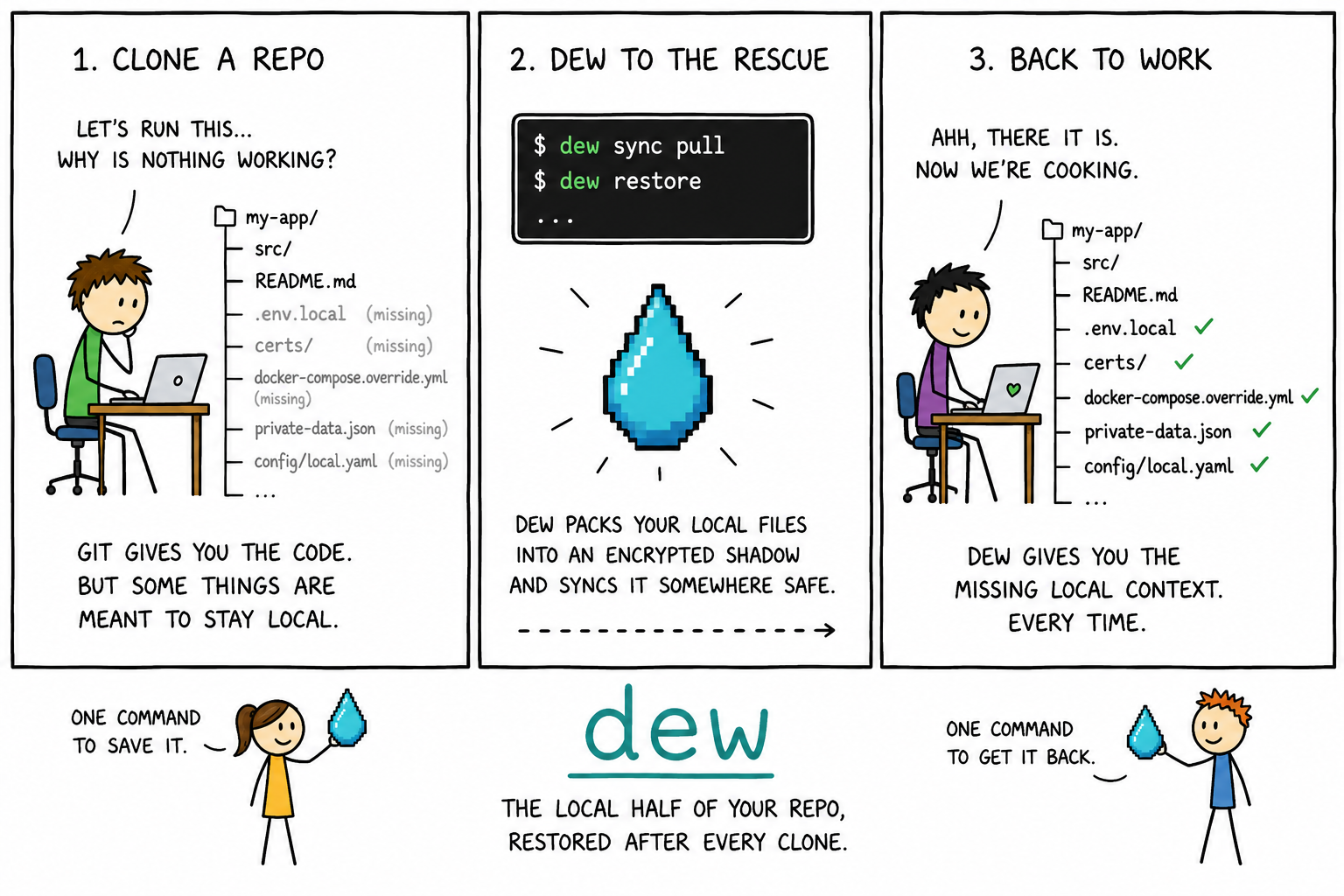
The local half of your repo,
restored after every clone.
Git tracks your shared code. dew manages the private,
local context it can't hold — .env.local and secrets, dev
certs, overrides, machine-specific config, the local notes you don't
commit — as a single encrypted image per repo. Clone, pull,
restore, and you're back to a working state.
Apache-2.0 single Go binary macOS · Linux · Windows v0.2.0
Git gives you the code. Not the context.
A fresh git clone is dry: it has the source, but none of the
per-developer files needed to actually run it — they're
.gitignored for good reason. Today you recover them from chat
threads, a password manager, or a copy-pasted .env. dew keeps that
private, local context in one encrypted image you can restore on any clone.
Shared docs still belong in Git — dew is for what shouldn't.
Quickstart — hydrated in five commands.
The fastest path: no sync setup — pack, carry the file, restore from it. Replay ·
The full workflow — set a destination once, then sync.
Replay ·
When to reach for dew
🆕 A new machine
Clone, sync pull, restore — your .env.local, certs, and overrides are back. No re-hunting through chat or a password manager.
🖥️ A dev box you SSH into
Keep a build server or remote workstation in sync with the same local config you run on your laptop.
🔁 After any fresh checkout
Re-clone a repo and immediately restore the gitignored files it needs to actually run.
How it works
dew uses a two-location model: a small manifest is committed to Git; the encrypted contents live in your home directory and never get committed.
In the repo — committed
.dew/manifest.yaml declares the project, image name, an
allow-list of files to manage, and an optional deny-list.
Never any secrets, contents, or keys.
In ~/.dew/ — never committed
One global age keypair, your config.yaml, and
images/<project>.dew.age — the encrypted shadow image, one per repo.
pack:    allow-listed files → tar → zstd → age encrypt → ~/.dew/images/<project>.dew.age
restore: image → age decrypt → zstd → tar → write into the repo (atomic, non-destructive)
What you can do with it
✅ Allow-list first
Only what you list is packed — never "everything ignored." A 3-layer deny-list keeps noise out.
🛰️ A remote you control
dew remote set a local or scp destination, remote test it's reachable & writable, remote images to see what's there.
🔁 Hydrate anywhere
Clone on a new machine, sync pull, restore — back to working, byte-for-byte.
🩺 Diagnosable
dew doctor tells you exactly what's wrong and the next command to run.
📦 Single binary
Pure-Go crypto & compression — no external tools, except scp/ssh for remote destinations.
🧩 Complements Git
dew never touches your tracked source. It carries the local context Git is meant to ignore — nothing more.
Built for trust
- Encrypted at rest with
age— corruption or tampering fails on decrypt. - Restore can't escape the repo —
.., absolute paths, and symlinks are rejected. - Restore is non-destructive — diverged files are flagged as conflicts, never silently overwritten.
- Sync moves the encrypted image only — never the private key.
- Each image is bound to its repo —
packwon't clobber another repo's image. - Remote sync delegates auth & host-key checks to your system's OpenSSH.
dew is not a secrets manager, backup tool, Git LFS, or cloud sync service. It's a repo-aware manager for the local files Git ignores.
Install
Homebrew (macOS)
brew install --cask vedanta/dew/dew
Go (1.26+)
go install github.com/vedanta/dew@latest
Binary
Download from the latest release · verify with checksums.txt
Quickstart
dew keygen                         # once per machine
dew init                           # create .dew/manifest.yaml
dew add .env.local certs/          # pick what to manage
dew pack                           # build the encrypted image
dew remote set nas:/volume1/dew    # where images sync (once)
dew sync                           # push it to your destination
# on a fresh clone:
dew sync pull && dew restore        # hydrate
# moving machines? dew pack --all (all local files) → copy → dew restore --image <file>
Docs & source
dew is a single cross-platform Go binary (Cobra + native age + pure-Go zstd). Read the design, browse the source, or contribute.